
 Delivered by Glass Lattice
NCE Connect: the campus ERP for Nalanda College of Engineering.
Ten role-based dashboards on one secure system, from the principal’s overview to a student’s next class. Delivered by Glass Lattice to Nalanda College of Engineering, Chandi.
One platform for an entire engineering college.
NCE Connect brings every office at Nalanda College of Engineering, Chandi into one system. Leadership, departments, administration, examinations, the library, the hostel, faculty and students each work in a space designed for their job, on top of shared records and permissions.
- 10 role-based dashboards on one secure system
- Connected hardware: eSSL and ZKTeco biometric terminals
- Connected software: the college’s Koha library system and campus LDAP sign-in
- Built on React, Node.js and PostgreSQL, on desktops and phones
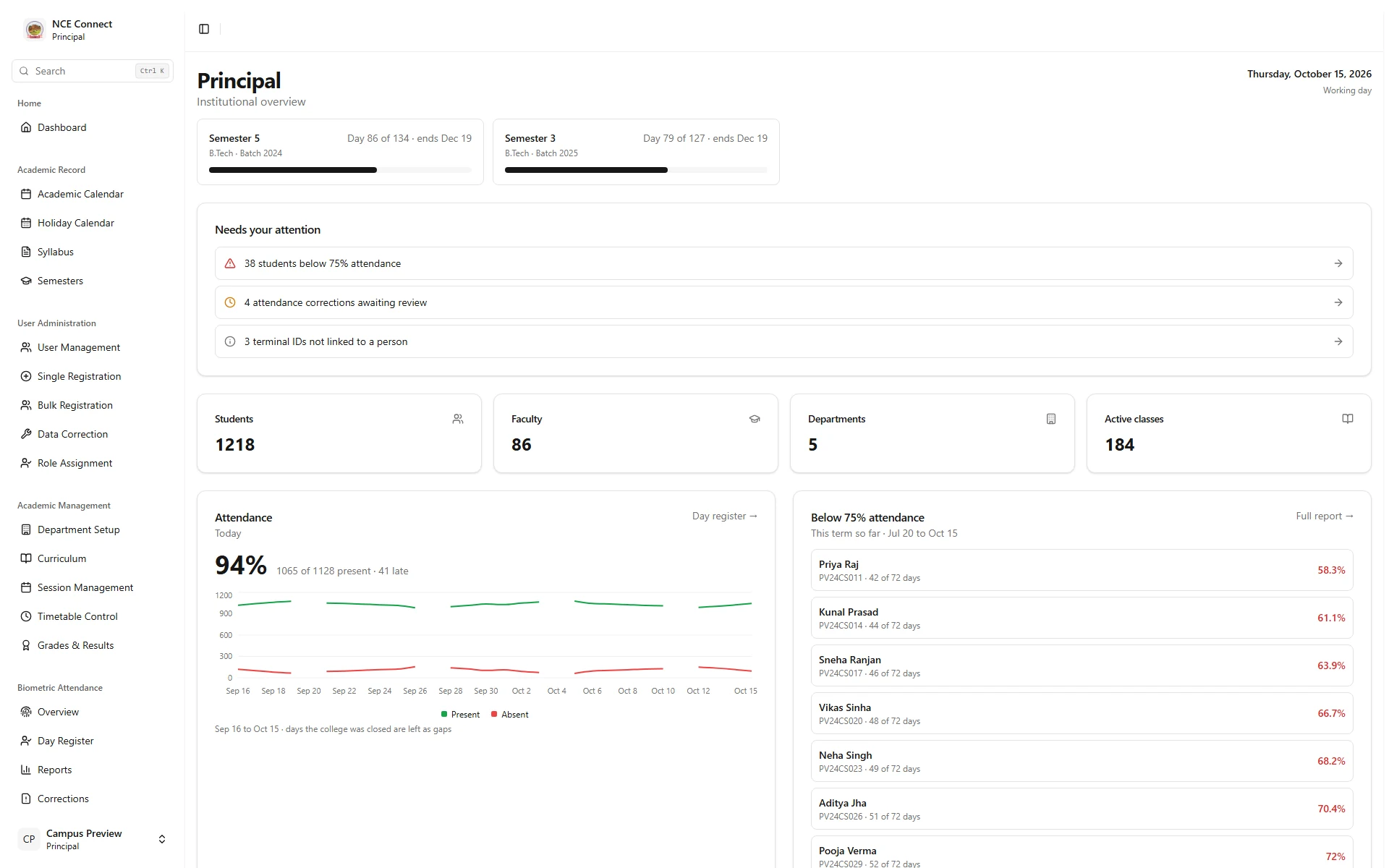
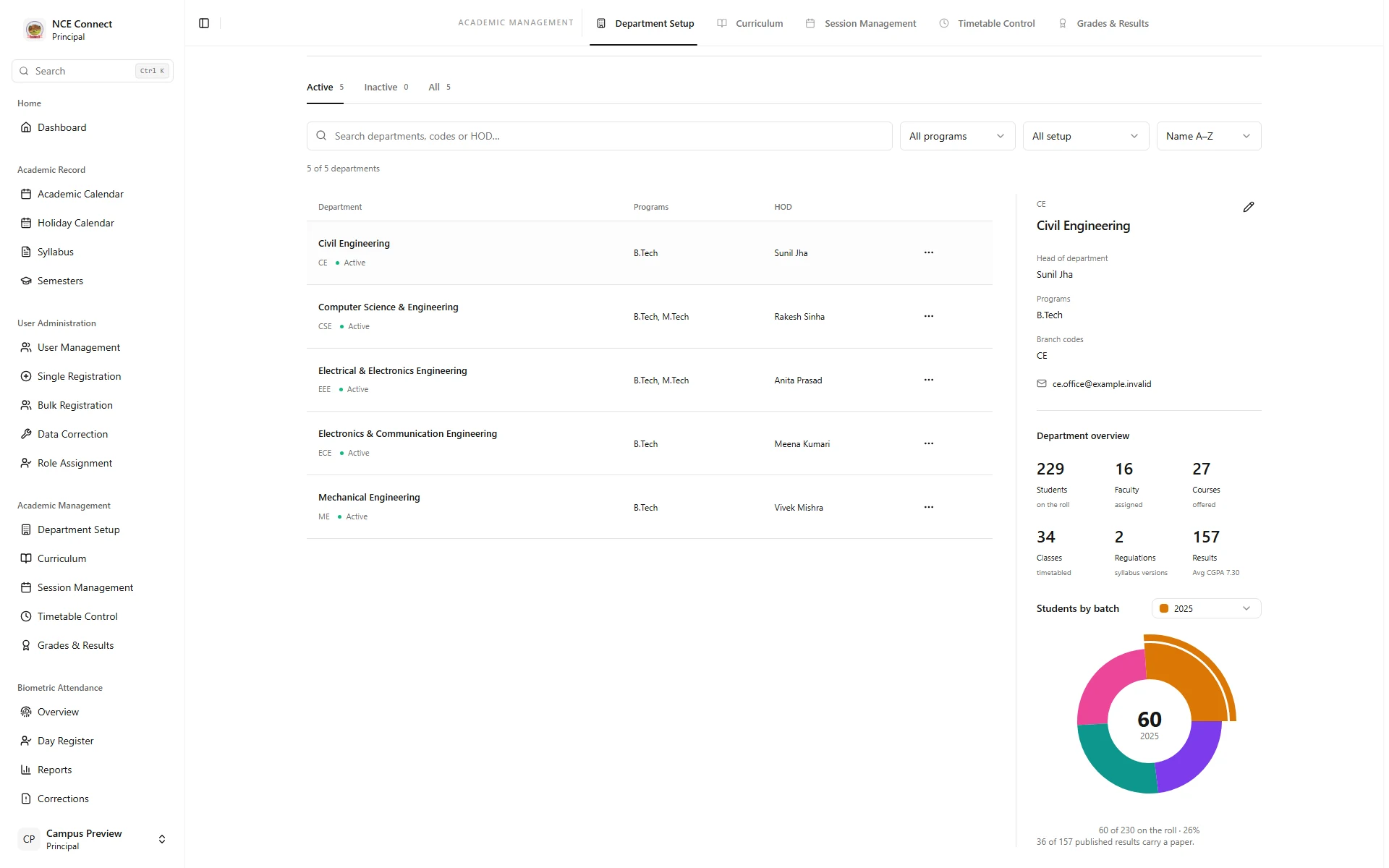
Principal: every department, and who leads it.
The principal sees term progress, items needing attention, institution-wide attendance trends and low-attendance lists. Department setup shows each department with its head, programmes and students by batch, one click apart.
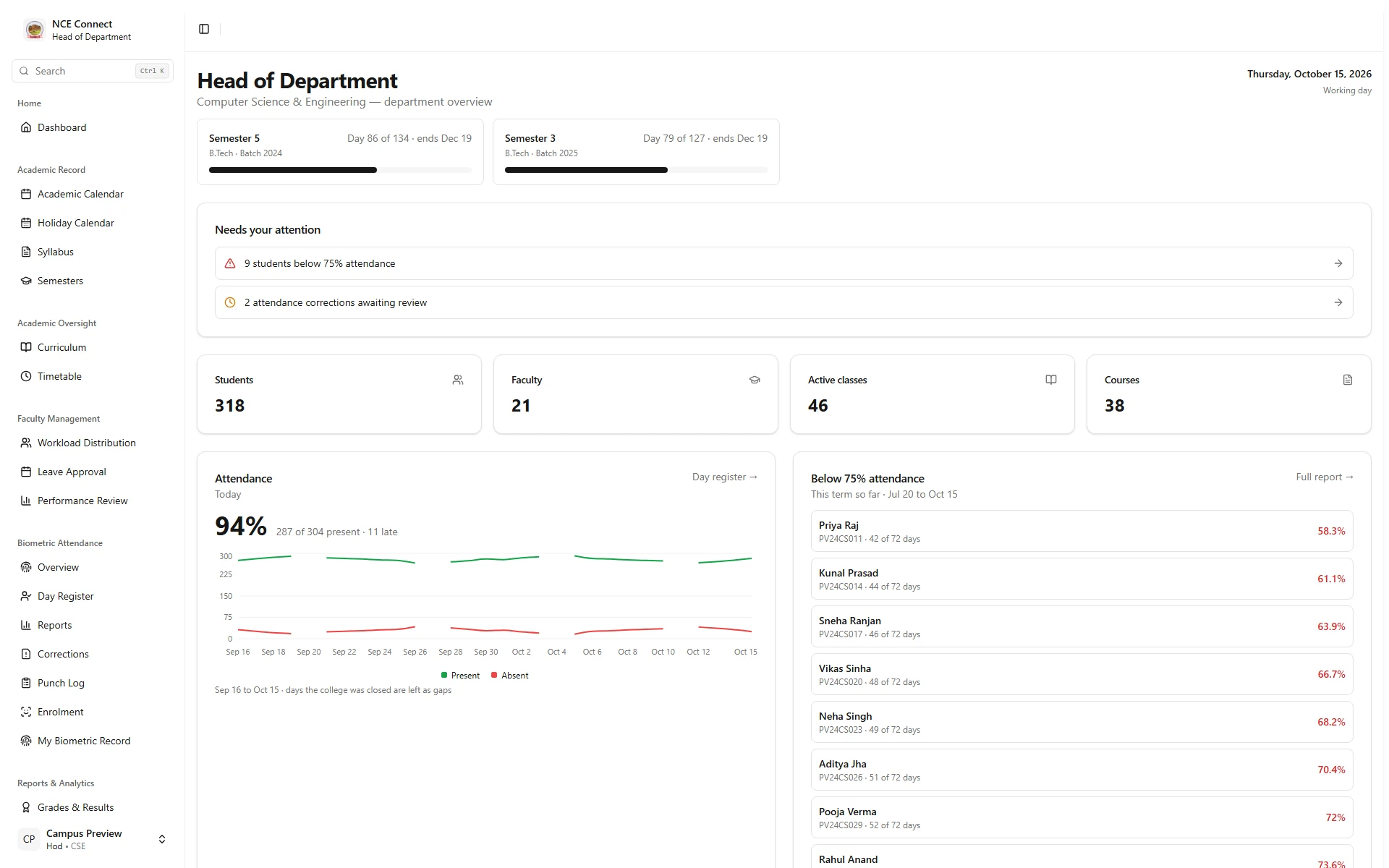
Heads of department: the department at a glance.
Running terms, today’s attendance and the students who need attention first, with timetables, curriculum and faculty in reach.
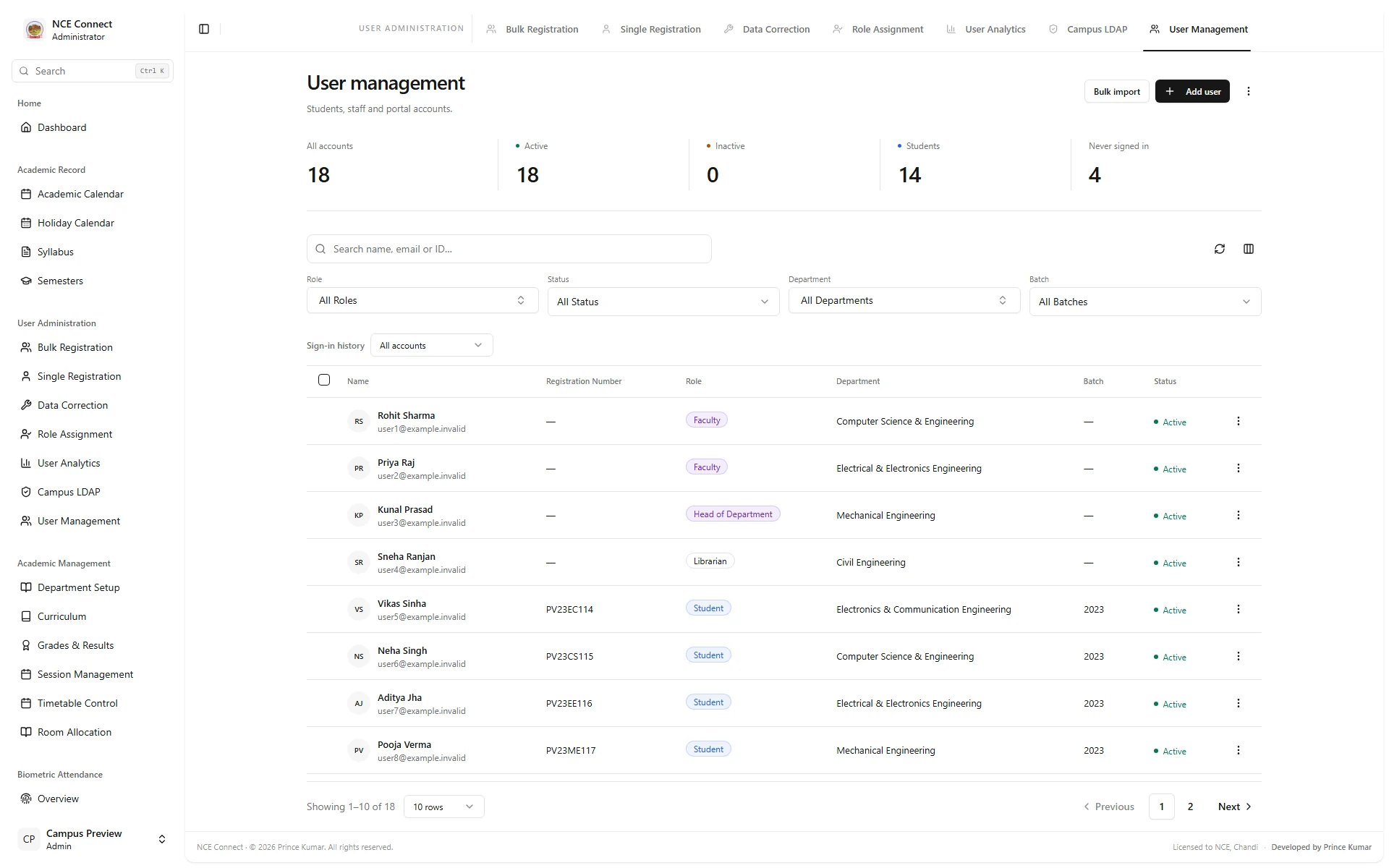
Admin office: people, roles and access.
Every account in one place, from one new teacher to a whole incoming batch. Role-based permissions, two-factor sign-in, campus LDAP and control over active sessions keep access tight.
Biometric control room: attendance straight from the terminals.
eSSL and ZKTeco terminals sync on their own. The control room shows terminal health, punches, attendance totals and recent syncs, and surfaces what needs a decision.
More on attendance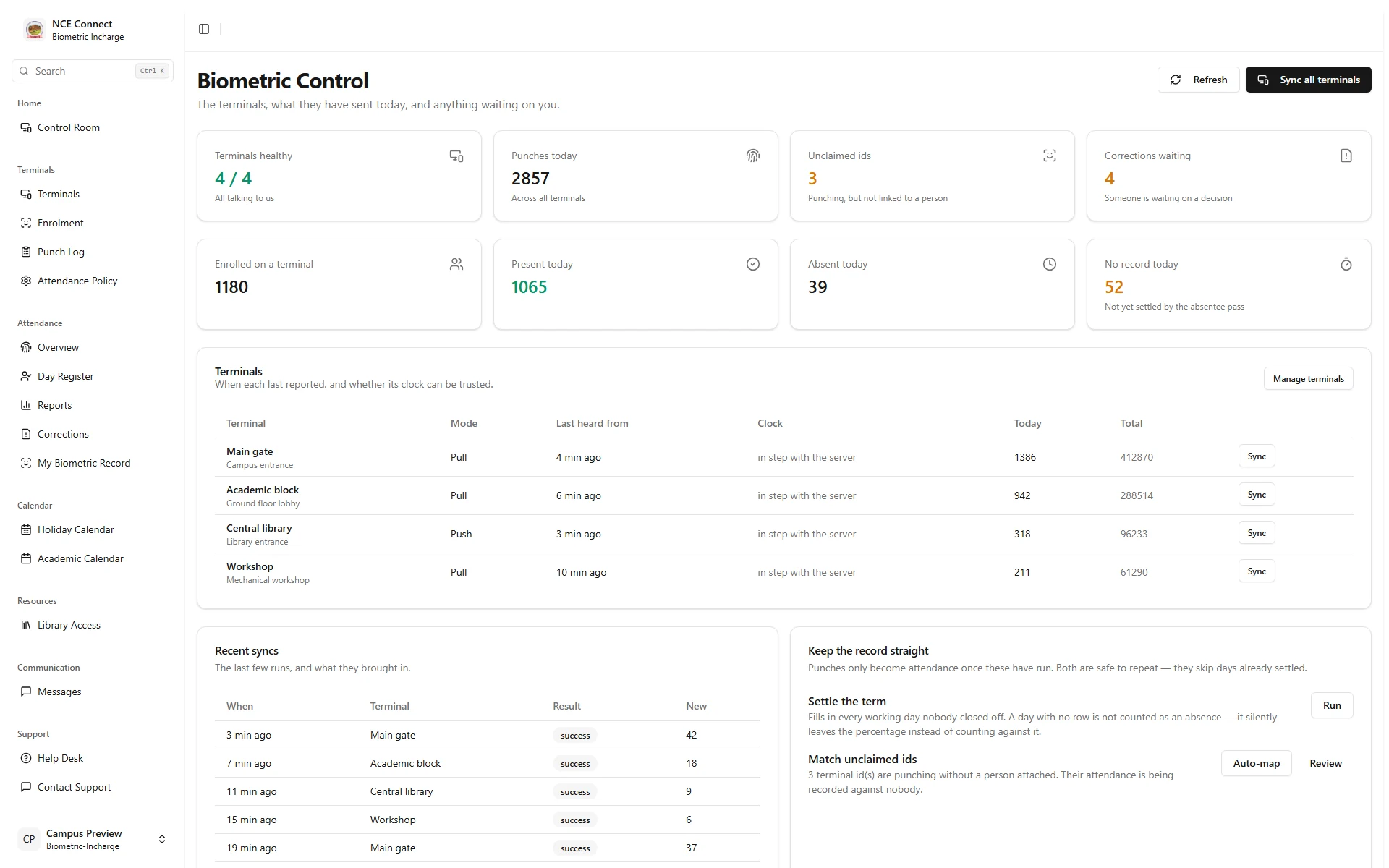
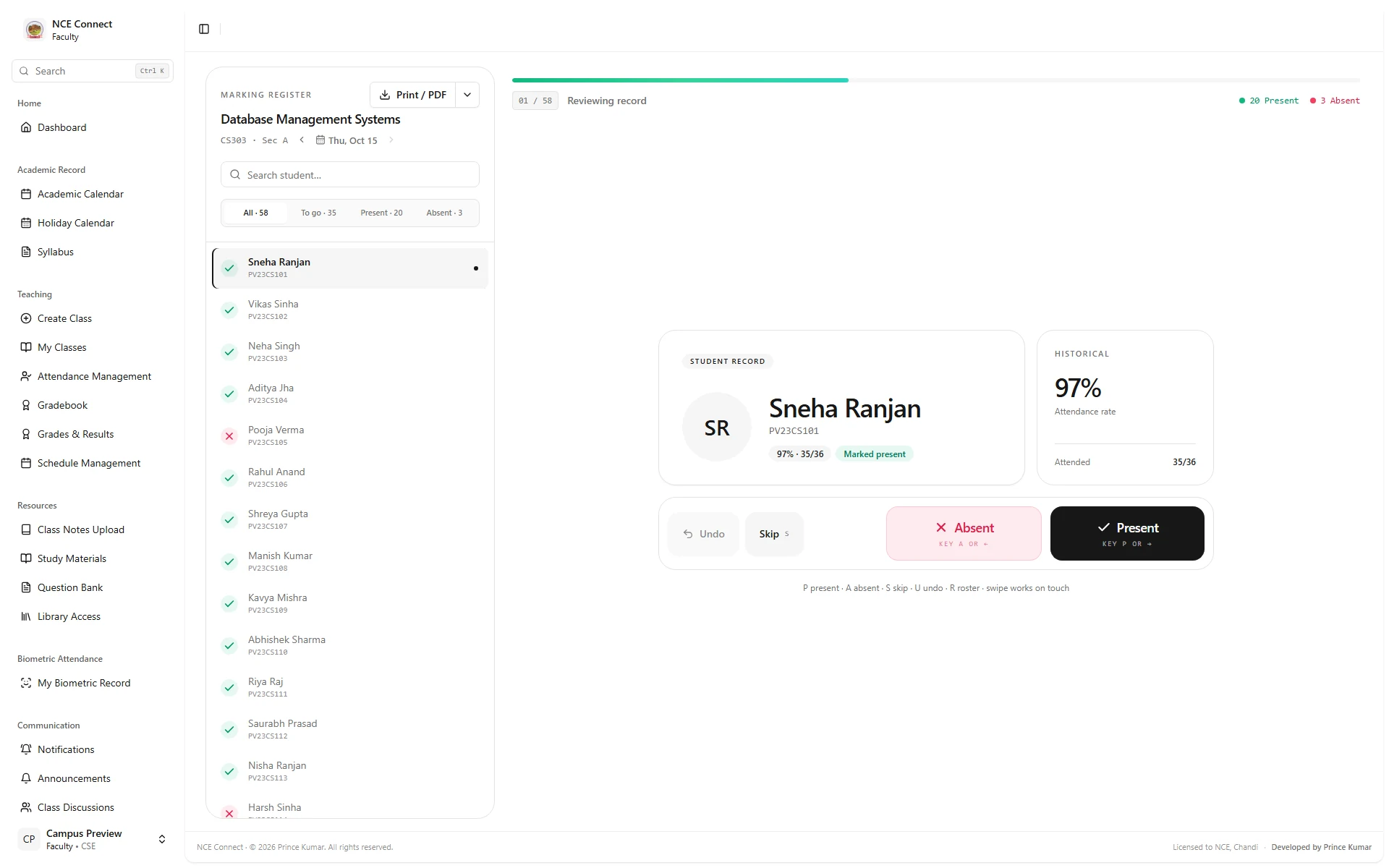
Faculty: attendance in a few taps.
Faculty mark a class student by student or as a register, on a desktop or a phone.
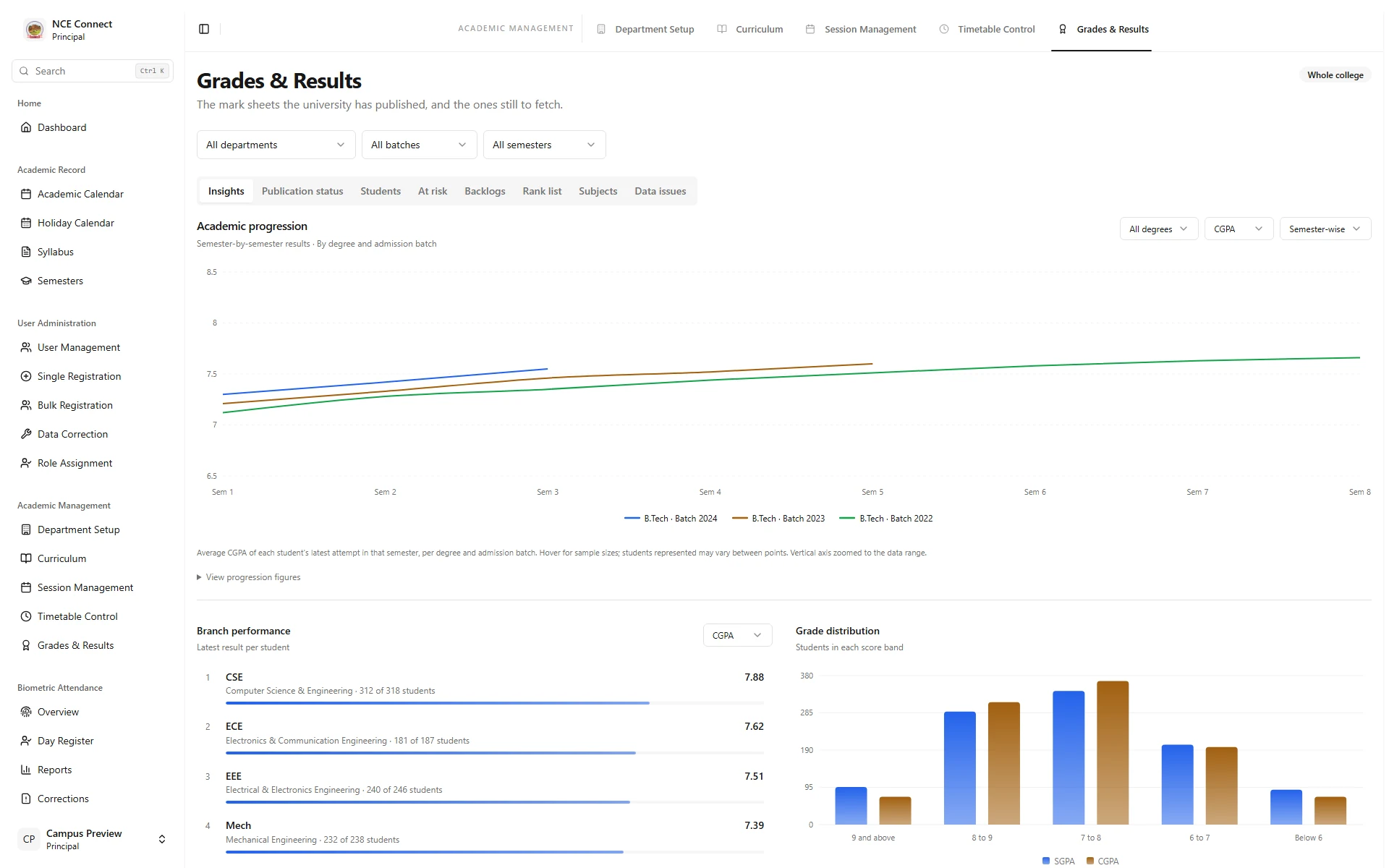
Examinations: results that inform decisions.
Branch performance, grade bands and academic progression, drawn from published results.
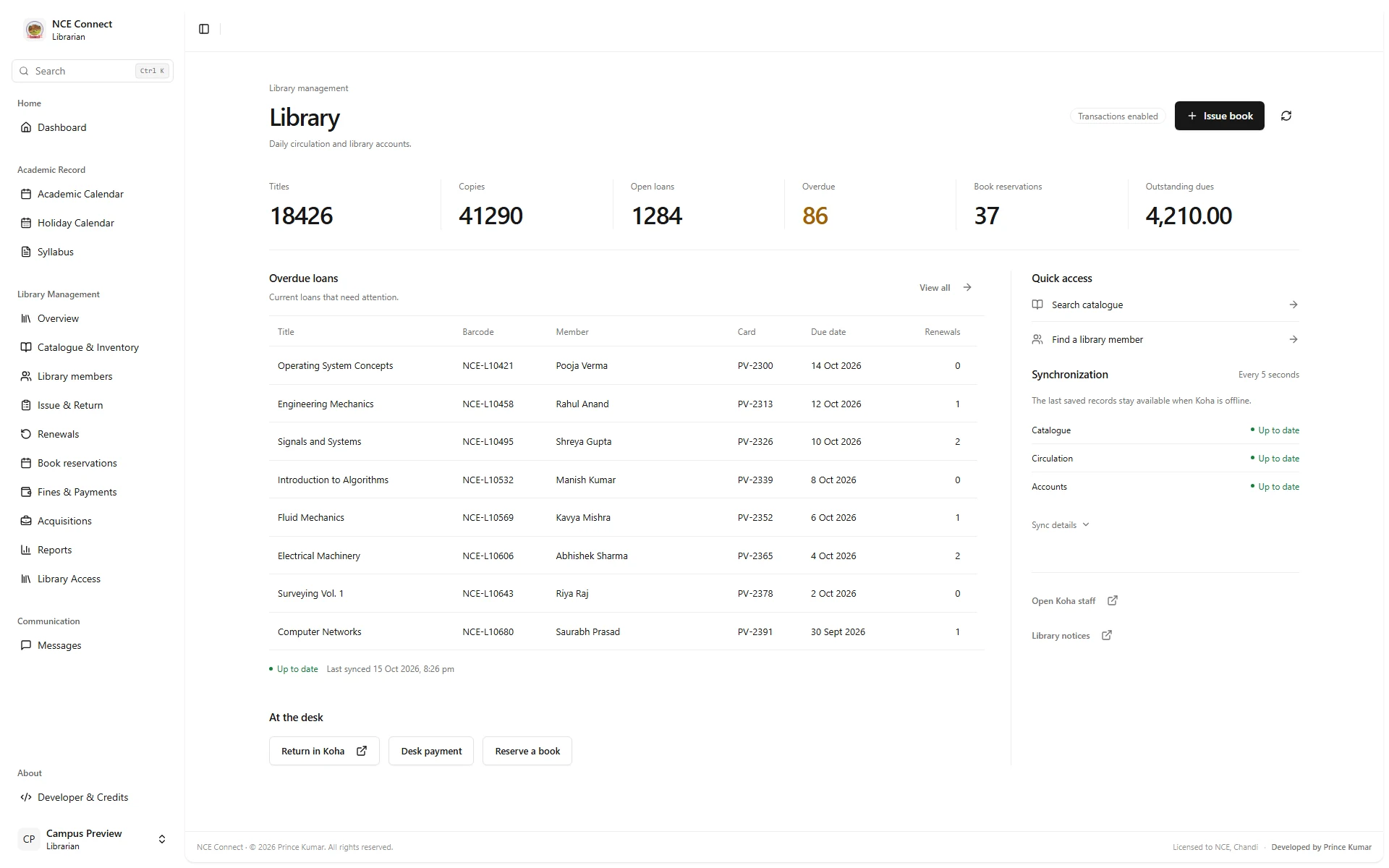
Library: circulation connected to Koha.
Library totals, overdue loans and sync status, with the catalogue, loans, holds and dues kept in step with the college’s Koha library system.
Hostel: rooms, residents and fees.
Every block, room and bed, from allocation to deposit refund, run by the chief warden.
More on hostel management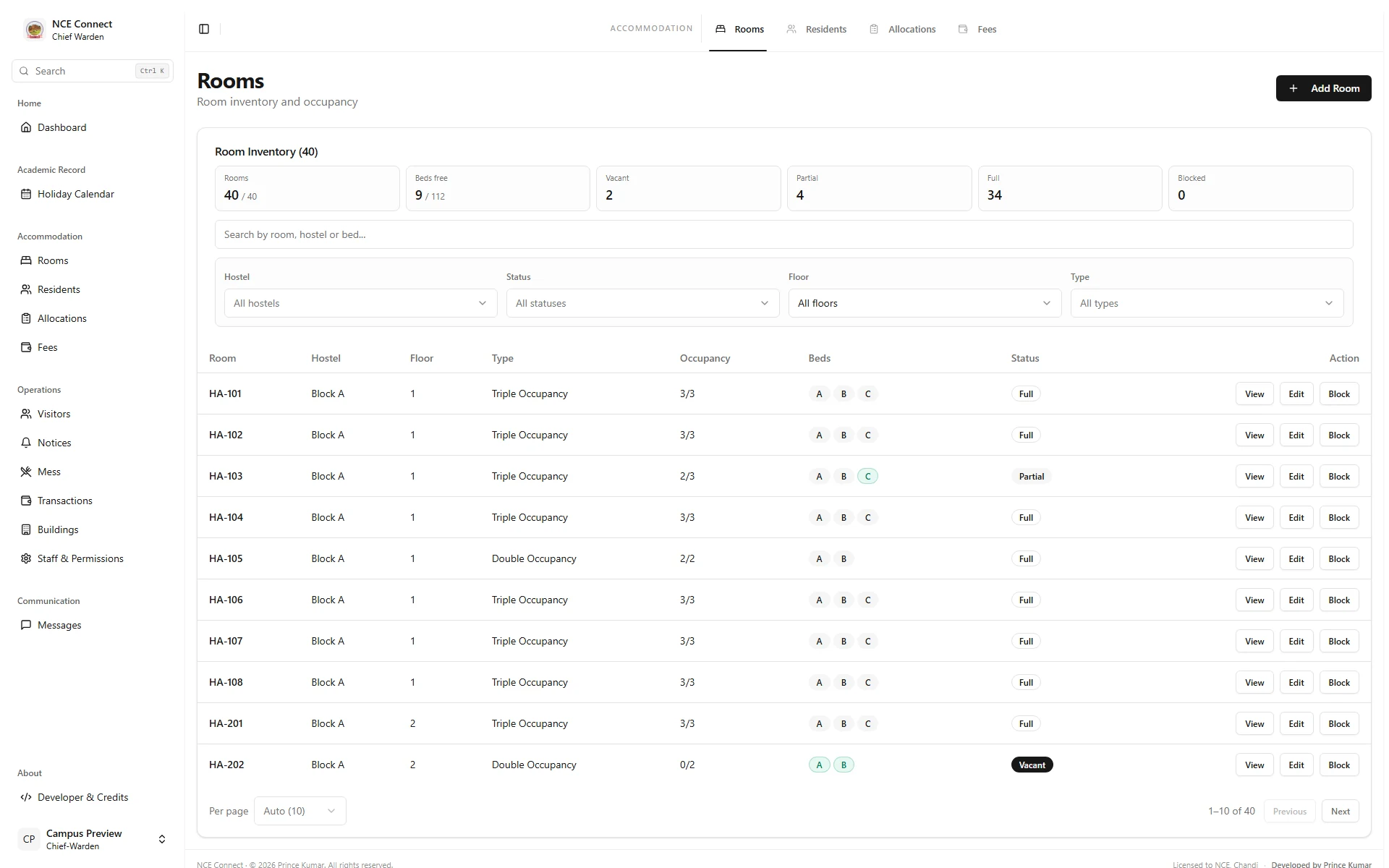
Students: everything for the day ahead.
Attendance, results, assignments and the next class, on any screen.
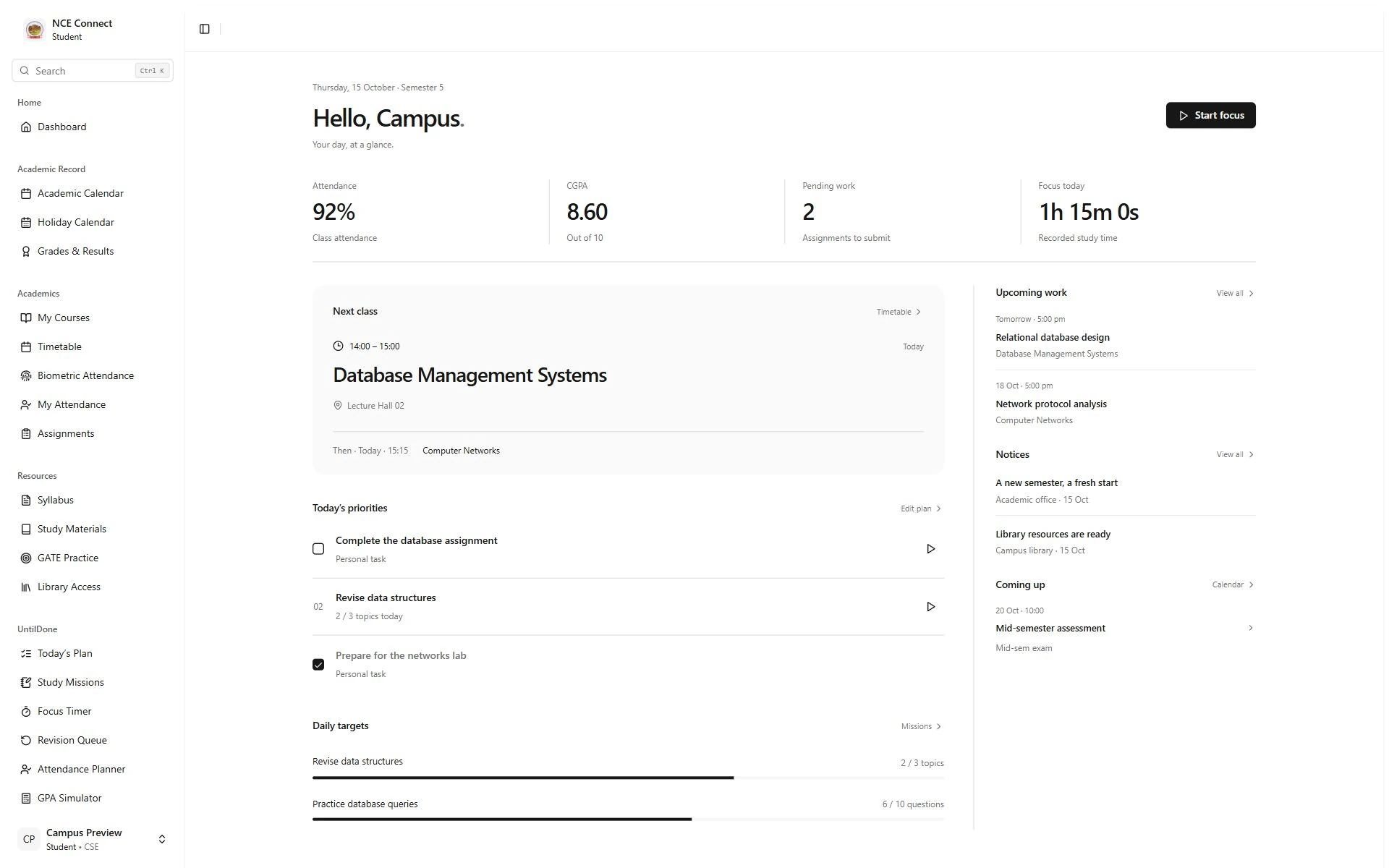
Screens are captured from the actual NCE Connect frontend with fictional preview records. No real student, staff or institutional data is shown.
Foundations every office relies on.
Shared by all ten dashboards in NCE Connect.
Secure access
Role-based permissions, two-factor sign-in, campus LDAP and control over active sessions.
Connected hardware
eSSL and ZKTeco biometric terminals, synced and health-checked from the control room.
Library integration
Catalogue, loans and dues mirrored from the college’s Koha library system.
Academic administration
Sessions, semester promotion, timetables, curriculum and room booking with clash checks.
Reports and exports
Registers and results as PDF, Excel or CSV, signed printouts and calendar exports.
Live updates
Real-time notifications and announcements reach every role as they happen.
About these screens.
Something else on your mind? Write to [email protected] and we will get back to you.
Are these screenshots from the real NCE application?
Yes. They are captured from NCE Connect’s actual frontend running in an isolated local preview. All names, figures and records shown are fictional. No production database, user session or real student, staff or institutional records are connected to this website.
Can Glass Lattice build a system like this for our institution?
Yes. We start with the way each office at your institution works, then agree the roles, modules and platforms you need. See college ERP software for the modules we build.
Related.
More of what Glass Lattice builds for institutions.
Want a system like this for your institution?
Shaped around your offices, built on React, Node.js and PostgreSQL.